When you need to fulfill orders for curved tumblers, textured coolers or promotional items that won’t fit your flatbed, UV-DTF printing gives you another way to say yes. This transfer technology handles the hard-to-print items that fall outside your standard workflow — no heat press, no weeding, no trying to fixture awkward shapes onto a print bed.
UV-DTF fills a specific production gap. This guide covers what it is, how the process works and when it makes sense to add it to your shop. Whether you’re evaluating new equipment or trying to understand how UV-DTF compares to other methods, the sections below will help you make an informed decision.
What Is UV-DTF Printing?
UV-DTF stands for ultraviolet direct-to-film. It’s a transfer printing process that uses UV-curable inks to create decals on special adhesive film, which are then applied to hard surfaces such as drinkware, signage and rigid promotional items.
UV-DTF produces a finished transfer that includes the printed design, adhesive layer and protective laminate. The transfer is applied directly to the product using pressure alone, with no heat pressing required. Once the design is in place, the laminate film is peeled away, leaving only the printed graphic adhered to the surface.
What UV-DTF is not: Despite the similar name, UV-DTF is not for apparel. Traditional DTF printing uses water-based inks and a heat-activated adhesive designed for fabric. UV-DTF uses UV-cured inks and a pressure-sensitive adhesive designed specifically for hard goods such as plastic, metal, glass and coated wood.
The reason UV-DTF prints to film first is simple: it allows you to decorate curved, irregular, or textured items that would be difficult or impossible to print on directly with a UV flatbed printer.
How Does UV-DTF Printing Work?
UV-DTF printing follows a straightforward workflow from design to finished application. The process breaks down into these main stages:
- Prepare the design and RIP setup: The artwork is prepared and processed through RIP software, which manages color output, ink layering and print settings.
- Print on adhesive film: The printer outputs the design onto a special film with an adhesive coating. The print order typically starts with white ink as a base layer, followed by CMYK color and finished with a clear varnish layer for scratch resistance and durability.
- Cure with UV light: As the design prints, UV light instantly cures the ink, hardening it on the film surface. This eliminates drying time and allows the transfer to be handled immediately.
- Apply the laminate film: A second film, called the application sheet or laminate film, is applied over the printed design. This laminate protects the transfer during handling and aids in application. The adhesive film and laminate film must be perfectly aligned and fed parallel during the roll-to-roll process to prevent misalignment.
- Cut and apply to product: The printed transfer is cut from the roll, positioned on the product and applied using pressure. Once the design is firmly adhered, the laminate film is peeled away, leaving the finished graphic on the surface.
While the workflow itself is straightforward, beginners often encounter issues with film alignment during lamination, surface preparation before application and air bubbles during transfer placement. Testing the film on different materials before committing to equipment purchase is highly recommended, as adhesive performance can vary across surface types.
What Makes UV-DTF Different From Other Printing Methods?
Understanding how UV-DTF compares to other decoration methods will help you determine where it fits in your production lineup.
UV-DTF vs. Traditional DTF
Traditional DTF is designed for textiles. It uses water-based inks and a heat-activated adhesive powder that bonds to fabric when pressed with heat. UV-DTF, by contrast, is designed for hard goods. It uses UV-cured inks and an adhesive that bonds to rigid surfaces without heat. The two processes share a name but serve completely different applications.
UV-DTF vs. Direct UV Printing
Direct UV printing uses a flatbed or hybrid printer to print directly onto the final product. This method is faster and more cost-effective when the item fits within the printer bed and has a flat or gently curved surface. UV-DTF becomes useful when the item is too irregularly shaped, too tall, too fragile or otherwise incompatible with direct printing. Examples include deep tumblers, hockey sticks, coolers with textured surfaces and small cylindrical objects that don’t fit standard fixtures. In most production settings, a UV flatbed printer is the primary tool, and UV-DTF serves as a secondary option for items that can’t be printed directly. If you already own a UV flatbed printer and want to add UV-DTF capabilities, learn how to optimize your flatbed for UV DTF printing.
UV-DTF vs. Vinyl
Vinyl cutting and application requires weeding (removing excess material around the design), which adds labor time and limits fine detail. UV-DTF eliminates weeding entirely because only the printed area transfers to the product. This allows for more intricate designs, small text and full-color graphics without margin limitations. Durability and edge appearance differ as well. Vinyl has defined edges and can peel over time depending on the substrate and environmental exposure. UV-DTF transfers embed into the adhesive layer and cure with a varnish topcoat, which can improve scratch resistance and longevity in certain conditions.
UV-DTF vs. Screen Printing
Screen printing excels in high-volume runs with simple color separations. Setup costs are higher due to screen creation and color changes or design adjustments require new screens. UV-DTF requires no screens and handles full-color, photographic-quality designs with no setup penalty per design. For short runs, custom orders and varied product lines, UV-DTF offers more flexibility. For large runs of a single design, screen printing may still be more economical.
Each printing method has distinct advantages depending on your production needs and the surfaces you’re decorating:
| Method | Best For | Weeding Required | Heat Press Required | Surface Compatibility |
| UV-DTF | Irregular hard goods, short runs, detailed designs | No | No | Rigid, curved, textured |
| Traditional DTF | Apparel and textiles | No | Yes | Fabric only |
| Direct UV Printing | Flat or gently curved hard goods, high volume | No | No | Flat rigid surfaces |
| Vinyl | Simple designs, signage, outdoor durability | Yes | No (for most applications) | Smooth, flat surfaces |
| Screen Printing | High-volume runs, simple designs | No | Depends on application | Varies |
Benefits of UV-DTF Printing
UV-DTF offers practical advantages that translate into broader product offerings, improved workflow efficiency and better results on hard-to-decorate items.
- Surface flexibility: UV-DTF works on rigid, curved, uneven and textured surfaces that would be challenging or impossible to print on directly. This includes drinkware with handles, items with recessed areas, objects with irregular contours and materials that don’t fit standard UV flatbed fixtures.
- Durability and longevity: UV-DTF transfers use cured UV ink covered with a protective varnish layer, which provides scratch resistance and water resistance in normal use conditions. Longevity depends on several variables, including the quality of the adhesive film, surface preparation and environmental exposure. Because the ink is cured on the film and then adhered to the product rather than cured directly on the surface, the adhesive layer can accommodate some expansion and contraction. This may improve performance in dishwasher use compared to direct UV printing, though results vary based on film quality and application technique. Outdoor lifespan will vary based on UV exposure, temperature cycling and surface type. Indoor applications on properly prepared surfaces typically show strong adhesion and minimal degradation over time. Low-quality films may leave adhesive residue around the graphic edges, so film selection matters.
- Production efficiency: UV-DTF allows you to batch-print transfers and apply them later as orders come in. You can print when it’s convenient and apply when orders arrive, improving workflow planning and reducing downtime. There are no weeding steps, no vinyl waste and no need to fixture complex items onto a flatbed printer bed. However, UV-DTF is less efficient for one-off jobs due to setup time and potential material waste during the roll-to-roll process. The technology works best in environments where you’re producing multiple transfers per run.
- Design quality and effects: UV-DTF supports fine detail, small text, full-color graphics and layered visual effects. White ink can be used as an underbase or incorporated into the design for opacity on dark or transparent surfaces. Clear varnish adds a topcoat for protection and can create spot gloss or texture effects. Because only the printed area transfers to the product, you can achieve clean edges and complex shapes without the margin limitations of vinyl stickers.
- Simplified labor: The elimination of weeding and heat pressing reduces hands-on time per piece. Application is manual but straightforward: position, press, peel. This simplicity can improve throughput for short-run custom orders and lower the skill threshold for staff handling application tasks.
Common Applications and Use Cases
UV-DTF printing opens up decoration opportunities across multiple product categories, particularly for items that don’t fit traditional printing methods.
- Promotional products: Drinkware is one of the most common UV-DTF applications. Tumblers, water bottles, mugs and specialty glassware with curves, handles or textured surfaces are easier to decorate with a transfer than by direct printing. Other promotional items such as phone cases, portable chargers, keychains and custom giveaways also benefit from UV-DTF’s flexibility with small, irregular shapes.
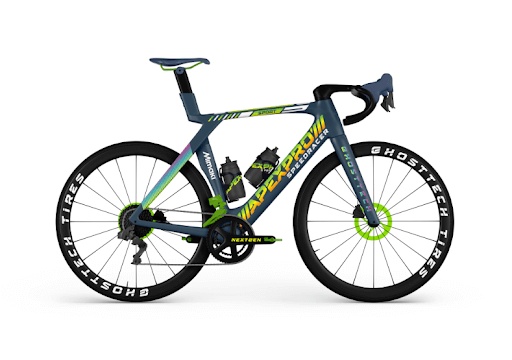
- Signage and labeling: UV-DTF works well for signage on materials such as acrylic, metal plates and rigid plastics. It’s also used for durable labels, equipment identification tags, control panel graphics and compliance markings in industrial settings. The scratch-resistant varnish layer and strong adhesion make UV-DTF suitable for functional labeling that needs to withstand handling and environmental exposure.
- Personalized and custom goods: Small-batch branding, custom gifts and handmade products sold through platforms like Etsy benefit from UV-DTF’s design flexibility and lack of minimum-order requirements. Personalized drinkware, branded accessories and limited-edition merchandise can be produced efficiently without the setup costs associated with traditional methods.
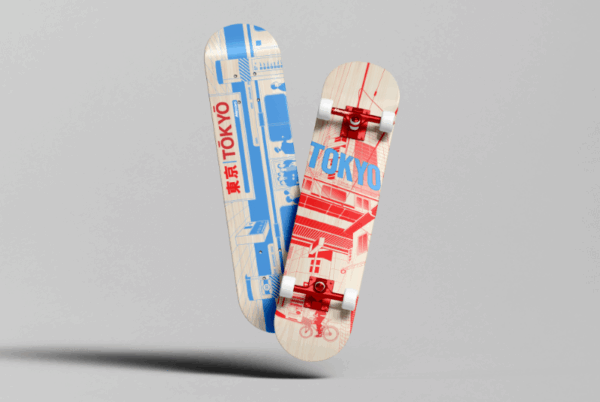
- Industrial and commercial uses: UV-DTF is used for equipment labeling, control panels, durable product identifiers and branded components in manufacturing environments. The ability to apply detailed graphics to irregular or assembled items without disassembly or special tooling makes it a practical solution for commercial applications.UV-DTF performs well on smooth or lightly textured plastics, coated metals, glass, powder-coated surfaces and sealed wood.Soft or porous materials, such as cardboard, uncoated fabric and untreated wood, should be avoided, as they can be damaged when the adhesive film is applied or removed. Extremely rough or heavily textured surfaces may not provide sufficient contact area for the adhesive to bond properly.
UV-DTF performs well on smooth or lightly textured plastics, coated metals, glass, powder-coated surfaces and sealed wood.
Soft or porous materials, such as cardboard, uncoated fabric and untreated wood, should be avoided, as they can be damaged when the adhesive film is applied or removed. Extremely rough or heavily textured surfaces may not provide sufficient contact area for the adhesive to bond properly.
UV-DTF Printing in Practice: Mimaki UJV300DTF-75
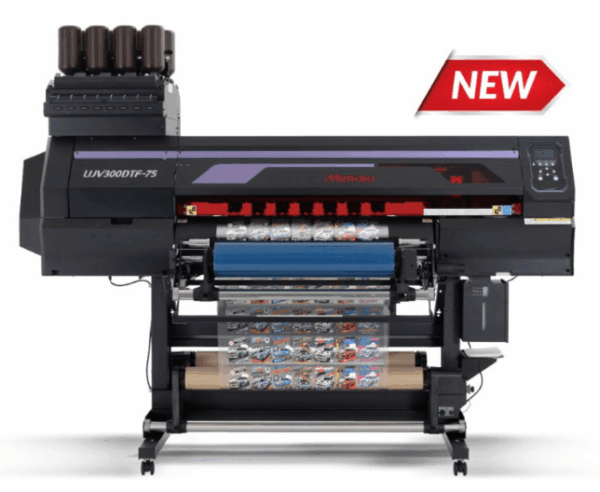
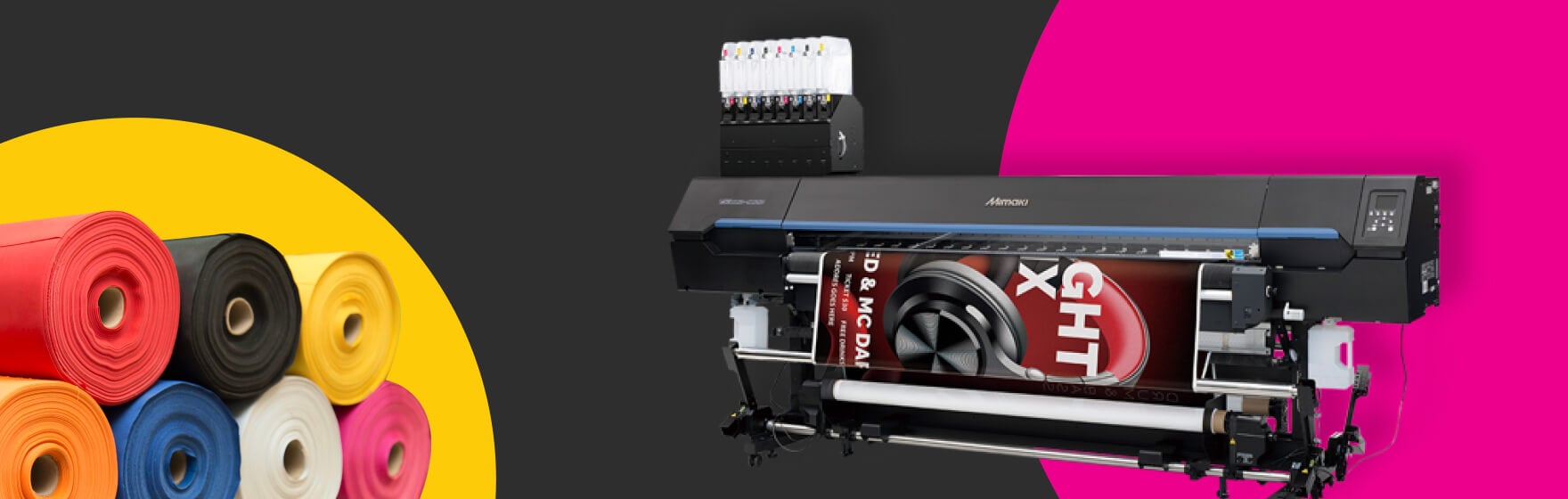
To understand what UV-DTF looks like in a production environment, consider the Mimaki UJV300DTF-75, a purpose-built UV-DTF printer designed for commercial workflows.
The UJV300DTF-75 demonstrates what “production-ready” means in practical terms: consistent output quality, repeatable results and workflow features that support efficiency and reliability. The printer handles the full UV-DTF process, from printing on adhesive film with white ink, CMYK color and clear varnish, to automatically collecting the liner film at the rear of the machine for stable feeding and clean operation.
The system includes Mimaki’s Nozzle Check Unit (NCU) and Nozzle Recovery System (NRS), which detect and remap defective nozzles to working ones during production. This keeps print speed consistent and reduces downtime from nozzle failures. A media jam sensor reduces the risk of print head damage if the adhesive film jams during operation.
The printer uses ELS-170 flexible ink and ELH-100 hard ink, both GREENGUARD Gold certified for low chemical emissions. The combination of these inks delivers both strength and flexibility in the finished transfer. Clear varnish improves scratch resistance and makes the application sheet easier to remove after transfer placement.
The UJV300DTF-75 represents the kind of specialized equipment designed specifically for UV-DTF workflows, with features that address the unique challenges of handling adhesive film, maintaining nozzle performance and producing transfers that meet commercial durability standards.
Is UV-DTF Right for You?
UV-DTF fits certain production scenarios well, but it’s not a universal solution. Here’s how to assess whether it makes sense for your operation.
UV-DTF is a strong fit if you:
- Work with hard goods that have irregular shapes, curves or textures that complicate direct printing
- Produce custom orders or personalized items where setup flexibility matters
- Offer promotional drinkware, signage or specialty products with varied shapes and sizes
- Need to decorate items that don’t fit standard UV flatbed fixtures or would risk head strikes
- Want to batch-print transfers and apply them later to match order flow
- Require fine detail, full-color graphics or layered design effects without weeding
You may not need UV-DTF if you:
- Primarily decorate apparel or textiles (traditional DTF or direct-to-garment printing would be more appropriate)
- Already have a UV flatbed printer that handles most of your hard goods efficiently
- Focus on high-volume runs of a single design where screen printing is more economical
- Work mostly with flat, rigid items that fit easily within flatbed printing constraints
UV-DTF has a learning curve around film handling, surface preparation and transfer alignment. Proper surface prep (cleaning, degreasing) is necessary for strong adhesion. Film quality affects both performance and longevity, so choosing reliable film suppliers matters. The manual application process works well for small to medium batches but may become a bottleneck at higher volumes. Future generations of UV-DTF technology will likely include more automated application tools to address this limitation.
UV-DTF works best when you’re producing multiple transfers per run rather than single one-off jobs. Setup time and material waste make it less efficient for individual pieces. If your workflow involves varied product types, short runs and frequent design changes, UV-DTF offers greater flexibility than methods requiring screens, fixtures or heat presses. If you’re running high volumes of identical items, direct UV printing or screen printing may be more cost-effective.
In most commercial settings, UV-DTF serves as a complementary technology rather than a primary decoration method. A UV flatbed printer handles the majority of hard goods printing, and UV-DTF fills the gaps for items that can’t be printed directly. If you’re considering UV-DTF as your first equipment investment, evaluate whether the items you plan to decorate truly require the transfer process, or whether a flatbed printer would serve a broader range of applications.
Next Steps with UV-DTF
UV-DTF printing is a great option for decorating hard goods with complex geometries and non-flat surfaces. It supports fine detail and full-color designs on items that would be difficult to print on directly.
UV-DTF works best as a secondary option when direct UV printing isn’t feasible, particularly for promotional drinkware, specialty signage, and personalized products. Understanding where it fits in your production workflow will help you decide whether it’s the right investment for your business.
If you’re ready to explore how UV-DTF can expand your decoration capabilities, the Mimaki UJV300DTF-75 offers a commercial-grade solution built specifically for this workflow. See how it handles the unique challenges of transfer printing and whether it’s the right fit for your shop.
UV-DTF Printing FAQs
What can UV-DTF be applied to?
UV-DTF can be applied to rigid and semi-rigid surfaces including plastic, coated metal, glass, powder-coated items and sealed wood. It is not suitable for soft or porous materials such as fabric or cardboard.
Is UV-DTF dishwasher safe?
UV-DTF dishwasher safety depends on adhesive film quality, surface preparation and the material being decorated. The adhesive layer can accommodate expansion and contraction, which may improve dishwasher durability compared to direct UV printing. Testing on specific products is recommended as results vary.
How long does UV-DTF last indoors vs. outdoors?
UV-DTF transfers last longer indoors with strong adhesion and minimal degradation on properly prepared surfaces. Outdoor lifespan varies based on UV exposure, temperature cycling, surface type and film quality. The protective varnish layer provides scratch and water resistance, but low-quality films may show premature wear or leave adhesive residue.
What’s the difference between UV-DTF and DTF printing?
UV-DTF is for hard goods and uses UV-cured inks with pressure-sensitive adhesive that bonds to rigid surfaces without heat. Traditional DTF is for apparel and uses water-based inks with heat-activated adhesive powder that bonds to fabric with a heat press. The two processes serve different applications.
Can UV-DTF be used on shirts?
No, UV-DTF cannot be used on shirts. It is designed for hard surfaces such as plastic, metal and glass. The pressure-activated adhesive would damage fabric and is not formulated for textile flexibility or washability. Use traditional DTF or direct-to-garment printing for apparel.
What do you need to start UV-DTF printing?
To start UV-DTF printing, you need a UV-DTF printer with white ink, CMYK color and clear varnish capabilities, compatible adhesive film and laminate film, RIP software for design processing, cutting and application tools and surface preparation supplies such as cleaning solutions and lint-free cloths.
Is UV-DTF better than vinyl?
UV-DTF is better than vinyl for intricate designs, small text and full-color graphics because it eliminates weeding and has no margin limitations. Vinyl works best for simpler designs with defined edges and may be more durable for outdoor signage, depending on the grade. The best choice depends on design complexity, production volume and application requirements.