

Home décor, soft signage and sports apparel continue to grow in demand, and dye sublimation printing is a practical way for business owners to tap into that demand. Bringing production in-house improves turnaround, quality control and margins, especially as entry options and bundles have become more accessible.
Below, we outline what dye sublimation printing is, compare the best sublimation printers of 2026 and share what you need to know before getting started.
What is Dye Sublimation Printing?
Dye sublimation is a digital printing process that produces vibrant, long-lasting images on polyester fabrics and coated surfaces. It works by first printing dye-based inks onto a special transfer paper using a wide-format inkjet printer. That printed design is then applied to the final material (typically polyester) using a heat press.
As the heat is applied, the dye turns into a gas (a process known as “sublimation”) and bonds with the polyester fibers. Because the color infuses into the material rather than sitting on top, the result is a smooth, durable finish that won’t crack, peel or fade easily.
There are two common production paths for this type of printing machine:
- Transfer to fabric (most common). With this approach, the design is printed as a mirror image onto transfer paper with dye-sub inks and allowed to dry. The paper is then placed against polyester fabric in a heated calender or flat press, where heat and pressure convert the dyes to gas and bond them within the fibers. The process yields crisp detail, smooth gradients and consistent color across a wide range of polyester textiles.
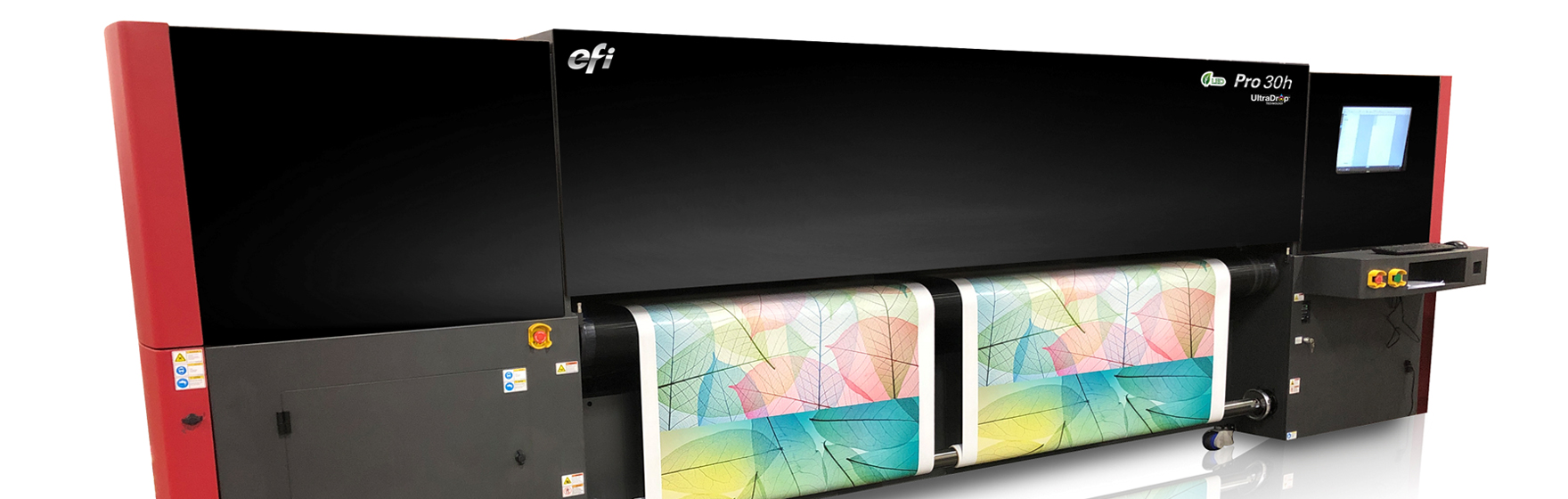
- Direct-to-fabric (DTFab). This path prints directly onto pre-treated polyester that rides on a sticky-belt to control stretch and skew. After printing, the fabric passes through a calender to fix the dyes. Direct printing is often chosen for fabrics that benefit from deeper dye penetration and stronger show-through, such as flag and banner materials and can streamline longer runs by removing the transfer paper step.
Compared to inkjet printing on other materials, such as paper or vinyl, dye sublimation is a more complex process, as it involves multiple steps. With the right plan, dye sublimation can be an enjoyable and profitable business.
With the fundamentals in place, let’s explore five essential considerations to help you choose the right dye sublimation setup for your business.
1. You Can Print a Huge Variety of Products
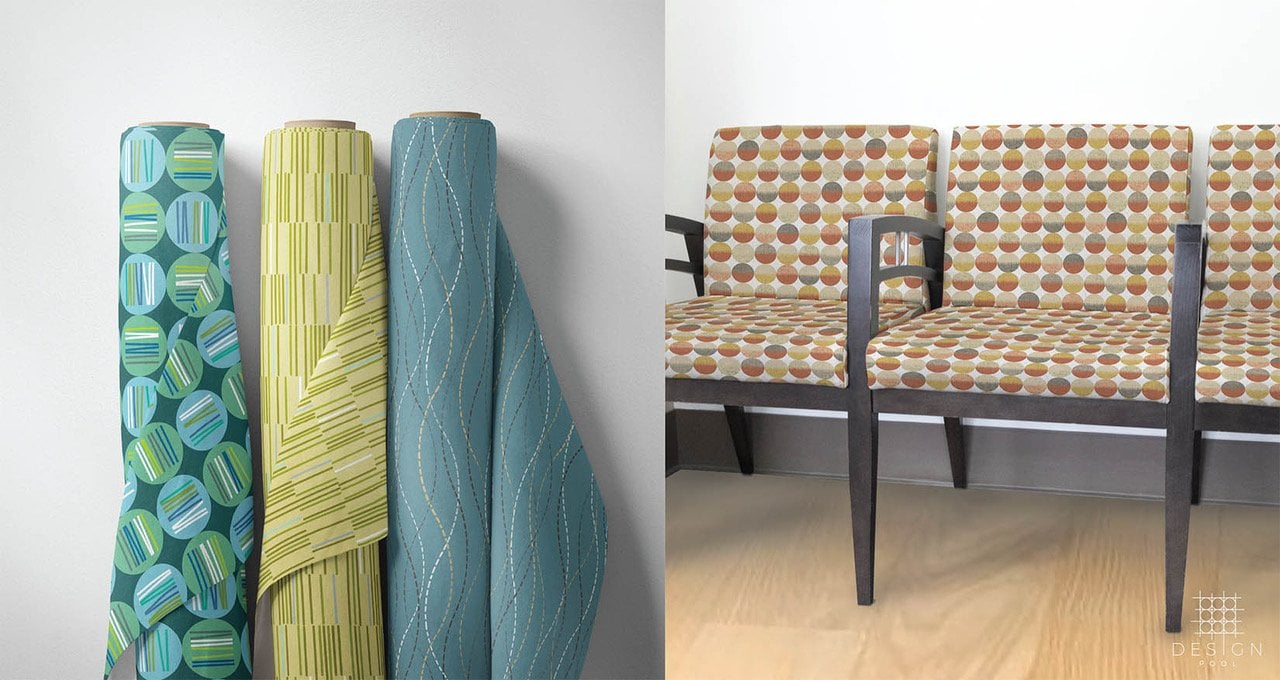
Dye sublimation printers are available in a variety of widths and configurations, making them suitable for everything from high-end fashion and branded décor to soft signage and promotional items. If it’s polyester-based or polymer-coated, chances are you can sublimate it, which gives you flexibility across markets and product types.
Soft Signage & Events
|
Apparel & Sportswear
|
Home Décor & Interior
|
Coated Hard Goods (sublimation-coated)
|
Note: SEG uses fabrics designed for a silicone strip at the edges so graphics can insert into a frame, delivering a clean, frameless look.
2. You’ll Need to Use a Specific Type of Ink
Dye sublimation relies on a specialized ink chemistry to work properly. Instead of sitting on the surface like traditional inks, dye-sub inks (also known as disperse dyes) turn into gas under high heat and bond with polyester at the molecular level. This is what gives dye-sub prints their signature durability and vibrant color.
Manufacturers such as Mimaki also offer fluorescent ink sets to extend the color range for applications such as sportswear and standout accents. Because the dyes become part of the material, finished prints are smooth to the touch, fully washable and resistant to cracking or peeling.
That same chemistry comes with specific performance traits. Indoors, dye-sub prints hold their color extremely well. For extended outdoor use, such as signage exposed to direct sunlight or harsh weather, other ink technologies, such as latex or eco-solvent, may be a better fit. For best results, maintain proper storage conditions for inks and transfer papers and use the correct ICC profiles and RIP (raster image processing) settings to achieve accurate, consistent color across materials.
3. You’ll Need a Special Dye Sublimation Printer
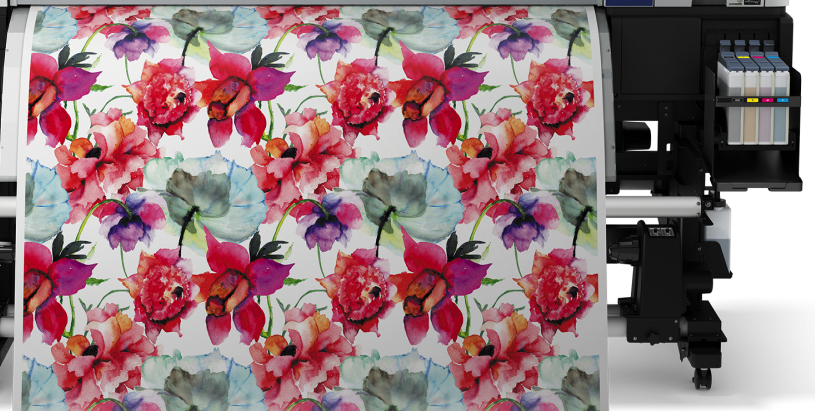
Although dye sublimation printers share similarities with other wide-format inkjet systems, they’re engineered specifically for use with transfer paper or direct-to-fabric workflows. Whether you’re outfitting your first in-house setup or scaling up production, there’s a strong range of options available, from professional entry-level models to industrial-grade machines.
Here are five of the best dye sublimation printer machines you can purchase right now:
Mimaki TS200
A reliable, entry-level transfer printer ideal for shops getting started with dye sub. Great for short- to mid-run apparel, soft signage or promotional items.
Best for: Small teams bringing production in-house without overcommitting budget upfront.
Mimaki TS330-1600 (64″)
High-speed sublimation transfer printer with vibrant color output, including fluorescent options. Offers industrial reliability and 8-color flexibility with built-in quality controls.
Best for: Branded apparel, retail graphics and high-quality, mid-to-high volume production.
Mimaki TX330-1800 (74″)
Hybrid printer supports dye-sub and textile pigment inks with minimal water use. Easily switches between paper and fabric workflows.
Best for: Fabric signage, short-run décor and stores seeking sustainable textile printing.
Mimaki Tiger600 (74″)
Ultra-fast industrial dye-sub printer with eco-friendly, waterless technology. Delivers up to 5,920 ft²/hr with advanced automation.
Best for: High-volume production of fashion, sportswear, home textiles and soft signage.
Mimaki TS330-3200DS (10-ft / 3.2 m)
Hybrid printer for both transfer and direct-to-fabric workflows. Handles oversized soft signage and stretchable or thick fabrics with ease.
Best for: Trade show graphics, SEG frames and wide-format textile applications.
When evaluating dye sublimation printers, be sure to match print width and duty cycle to your press size, media handling and finishing setup. This ensures you get the right balance of capacity and efficiency without creating bottlenecks in your production flow.
4. You’ll Need Additional Equipment
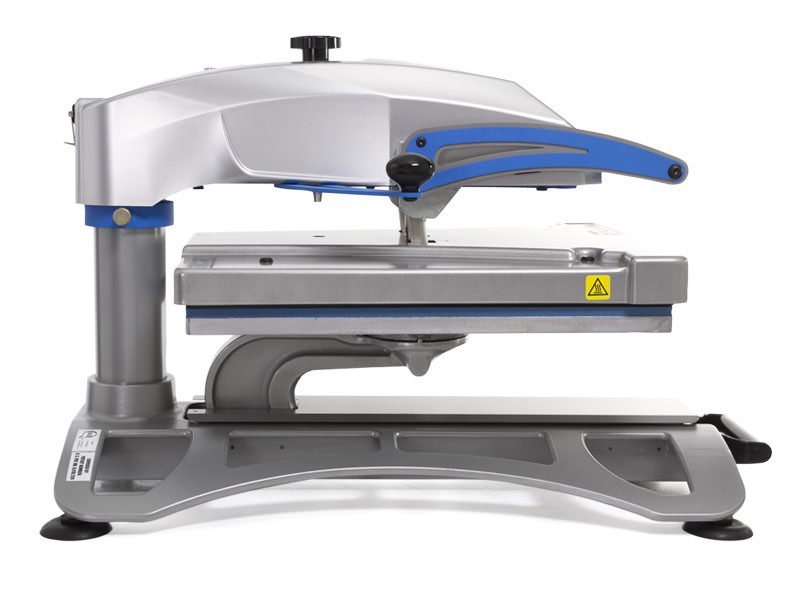
Dye sublimation printing doesn’t stop at the printer. To produce consistent, high-quality results, you’ll need a few essential pieces of equipment, especially for heat transfer and finishing.
- Heat press (essential). No matter your setup, a reliable heat press is critical to the sublimation process. Different press types serve different production needs:
- Calendar press (rotary, oil or electric). Ideal for high-throughput applications such as roll-based apparel, décor and soft signage.
- Flatbed press. Suited for rigid panels, cut fabric pieces and all-over t-shirt designs.
- 3D/mug press. Designed for transferring onto sublimation-coated blanks such as mugs, coasters and small hard goods.
- Cutting and sewing equipment. Depending on what you’re producing, you may also need finishing tools like cutters and sewing machines. Options range from compact tabletop units to industrial systems. Summa cutters are a popular choice for high-precision, roll-fed applications.
Additional Equipment & Setup Considerations
To support a smooth production workflow, don’t overlook the value of:
- Take-up and rewind units for roll media
- Humidification and ventilation to maintain print and press consistency
- RIP software and color management tools
- Proper power, safety and workspace considerations
- Fabric handling tables or staging areas for prep and finishing
The right mix of equipment depends on your applications and production volume. A tailored setup helps maximize output, avoid bottlenecks and maintain professional quality across jobs.
5. Dye Sublimation is Affordable
Dye sublimation printing was once seen as complex and cost-prohibitive, but that’s no longer the case. Today’s market offers a wide range of high-quality solutions at more accessible entry points. Reputable brands now offer professional-grade printers starting around $10,000, and the technology has become easier to use while delivering better output.
That said, success depends on more than just the printer. A realistic starting budget is closer to $20,000 or more, covering a complete production bundle that includes the printer, heat press, finishing tools, RIP software, installation and training. In many setups, the heat press represents the larger investment, and it’s not the place to cut corners. Inconsistent heat can lead to costly problems such as ghosting, color shifts and uneven output.
As you plan, consider the total cost of ownership. Ongoing costs include inks, transfer and protection papers, polyester fabrics or coated blanks, spare parts, service, utilities and operator time. Your cost per square foot will vary depending on ink coverage and media, but well-tuned profiles and press settings can minimize waste and help protect your margins.
If you’re aiming for professional direct-to-fabric printing, you’ll want to invest in a platform with calender capability so you can hit the ground running. Lower-cost options may be tempting, but they typically fall short on print quality, consistency or scalability.
It’s a strong time to invest. With more models and configurations available than ever before, it’s easier to find a setup that fits your current needs, without overspending or settling for lower-quality equipment. Financing and leasing options are also available, and ITNH bundles with training help accelerate your path to full production.
Dye Sublimation Workflow (Step-by-Step)
Understanding the full dye sublimation process helps you plan for staffing, floor space, turnaround times and quality control. While the equipment and setup vary slightly between transfer and direct-to-fabric workflows, the core stages remain the same: moving your design from screen to finished product through a series of carefully controlled steps.
Below is a typical production workflow for dye sublimation printing, with notes on where the process may differ depending on the materials and equipment used.
- File Preparation and Color Setup
Start with properly preflighted artwork using the right color profiles (ICC) for your printer, ink set, paper and fabric. This step ensures accurate reproduction and color consistency across jobs. - Media and Environment Conditioning
Inks, papers and fabrics perform best in a climate-controlled print room. Stabilizing materials to the room’s temperature and humidity can prevent wrinkling, banding and color shifts. - Print Stage: Transfer or Direct-to-Fabric
This is one of the most critical stages, as your print quality here impacts everything downstream. - Transfer printing involves printing a mirrored design onto transfer paper, which will later be pressed onto fabric.
- Direct-to-fabric printing goes straight onto pre-treated polyester using a sticky-belt printer to control fabric movement.
- Drying or Conditioning the Print (transfer workflows only)
Transfer paper must dry thoroughly before pressing to prevent ink bleed or ghosting. This may happen naturally or with dryers depending on throughput. - Fabric Preparation
Lint-roll, square and stage the fabric or individual panels. For certain applications, a quick pre-press flattens the fabric and removes excess moisture, which helps ensure even color and edge-to-edge alignment. - Heat Fixation / Transfer
The sublimation chemistry takes place here, where heat turns dye into gas and bonds it inside the polyester fibers. - Calender presses (rotary drum) are ideal for continuous rolls of fabric, such as soft signage or apparel.
- Flatbed presses are used for pre-cut pieces, rigid panels, or all-over garment prints.
- Specialty presses and wraps are designed for hard goods such as mugs, metal panels, or promotional blanks.
- Finishing
Depending on the application, this may include trimming, sewing, adding silicone edges, installing hardware or preparing components for final assembly. - Quality Control
A thorough check ensures color fidelity, alignment, print quality and that all pieces meet size and spec requirements before packing. - Packaging and Shipping
Finished goods are rolled, padded or boxed with care. For graphics and displays, packing may include installation instructions or kitting by location or panel order.
Is Dye Sublimation the Right Fit? (Alternatives & When to Choose Them)
Dye sublimation is one of the most effective methods for producing vibrant, high-quality prints on polyester fabrics and coated substrates. But it’s not the best solution for every material or application. If you’re working with cotton, uncoated surfaces or need long-term outdoor durability, there are other technologies worth considering.
Here’s a quick comparison to help guide the right fit for your needs:
| Use Case | Best Printing Option | Reasoning |
| Cotton t-shirts & apparel | Direct-to-Garment (DTG) or Direct-to-Film (DTF) | Dye-sub won’t bond with cotton. DTG/DTF provides better wash durability |
| Polyester soft signage & apparel | Dye Sublimation | Best color vibrancy, hand feel and stretch performance on polyester |
| Coated hard goods | Dye Sublimation | Requires polymer coating, but yields durable, detailed prints |
| Uncoated rigid signs & displays | UV Printing | UV adheres directly to uncoated surfaces such as metal, wood and acrylic |
| Outdoor graphics | Latex or Eco-Solvent | Higher UV resistance for extended outdoor life |
Additional Considerations
- Substrate compatibility: Dye-sublimation requires polyester fabric or a specially coated hard good. It will not work on cotton or uncoated surfaces.
- Outdoor use: While dye-sub prints are washfast and durable indoors, their UV stability can vary. For graphics exposed to prolonged sunlight or weather, such as outdoor furniture, signage or flags, consider latex, eco-solvent or UV inks.
- Longevity vs. turnover: Some short-life outdoor applications (e.g., flags, banners) are still commonly produced with dye-sub due to quick turnaround and cost-efficiency. But if long-term fade resistance is critical, another technology may serve better.
Not sure what process fits your mix of products? ITNH can help you compare options and recommend the right system for your applications, volume and materials.
Frequently Asked Questions
Q: How much does a dye sublimation printer cost?
A: Entry-level models from trusted brands start under $10,000. Larger or faster printers cost more, and you’ll also need to budget for a heat press, software and other equipment. Your total setup cost will be more than just the printer.
Q: How long will a dye sublimation printer last?
A: With regular maintenance, a high-quality dye sub printer can last many years in production. The better the build, the longer it will serve your business.
Q: How long will my printed items last?
A: Items printed with dye sublimation are very durable and washable, especially for indoor use. If you’re creating products for outdoor use, longevity depends on the fabric, ink and exposure to sunlight. Talk to ITNH for recommendations based on your specific application.
Q: Can I use dye sublimation on cotton?
A: No. Dye sublimation only works on polyester or specially coated materials. If you need to print on cotton, direct-to-garment or direct-to-film printing is a better option.
Q: What’s the difference between transfer and direct-to-fabric printing?
A: Most dye sublimation is done with printing onto transfer paper and then pressing it onto polyester fabric. Direct-to-fabric printing skips the paper and prints directly onto pre-treated fabric. It’s often used for jobs where deeper ink penetration is important, like flags.
Q: What kind of software will I need?
A: Dye sub printers use RIP (raster image processing) software to manage color and print settings. Popular options include Mimaki RasterLink and Ergosoft. Your software is usually included with the printer or available as part of a package from ITNH.
Q: How do I avoid common print issues like ghosting, banding or color shift?
A: Start with a high-quality heat press, as uneven heat is one of the biggest culprits behind ghosting and inconsistent color. Also, ensure you’re using correct profiles for your paper and fabric, and maintain stable temperature and humidity in your print environment. Printers like the Mimaki TS330 include advanced features such as automatic nozzle checks and compensation, which help maintain consistent quality during long runs.
Q: Can I print double-sided flags?
A: Yes, but it typically requires a direct-to-fabric setup with flag-specific fabrics and wet inks to ensure good penetration and show-through. Mimaki’s TX330 or TS330-3200 models are excellent choices for this application. ITNH can help you select the right machine, ink set and media for reliable double-sided results.
Find the Best Dye Sublimation Printer Setup with Help from ITNH
Bringing dye sublimation printing in-house can unlock faster turnarounds, better quality control and stronger margins, but choosing the right equipment and workflow is key. That’s where ITNH comes in.
If you need help getting started with dye sublimation printing, you can always use our free Printer Match Tool to find the printer that’s the best fit for your business. Or, you can contact us anytime for advice or recommendations.