





The necessary research it takes to find the right wide format inkjet printer for your business can seem challenging. There are endless brands and models on the market that all boast the same benefits and capabilities. So how are you supposed to make a decision?
We’re here to help you prioritize your business’ specific needs so you can find the right wide format printer for your application and production requirements. This article details the six most important factors to consider before making a costly decision.
But first, we need to ask the most important question related to your need for a wide format printer:
What applications do you need the printer for?
What is the primary reason you’re looking for a wide format inkjet printer? Make sure you consider each application it will be used for. To help guide you, keep in mind that wide format inkjet printers are the equipment of choice for the following applications:
- Fine art and photography
- Signs and banners
- Vehicle wraps
- Retail displays
- Tradeshow displays
- Textile printing for soft signage
- Like fabric graphics or flags
- Wall coverings
- Like wallpaper or vinyl wall coverings
Tip: If you have multiple applications in mind, it is important to prioritize them and communicate that to the people helping you. You may or may not be able to use the same printer (and ink type) for different applications.
Identifying the print application(s) is crucial, because it determines the substrates you’ll use.
If you’re intending on making vehicle wraps, you’ll need a printer that works with adhesive print vinyl. If the equipment is for a photography studio, you’ll need a printer that is compatible with photo paper. And so on and so on.
And your substrate choices will decide what ink type you need.
Ink technology is the most critical part of the selection process because it’s what makes the printer work on the substrate. If you have the wrong ink chemistry, your materials won’t take to the ink properly and you’ll be out of luck.
And now, with your applications in mind, here are six additional features to understand and consider throughout your search.
Ink Technology
As we just explained, the ink type you’ll need is non-negotiable. Below are the four main ink technologies, the applications they are used for and an equipment recommendation.
Aqueous
This water-based ink is intended for photo paper, poster paper, canvas and other indoor materials. If you’re producing goods to be used indoors or goods that do not have a long outdoor longevity requirement, then aqueous inks are a good choice. Typical applications are fine art and photography as well as some retail signage.
Printer Suggestion: The Epson P9000 is a 44-inch wide format printer that’s ideal for photos and fine art. The high print quality also makes it a great choice for retail graphics.
Keep in mind: The dye-sublimation inks used in the textile process for soft-signage and trade show graphics is also aqueous ink.
Solvent
Need to print on all things vinyl? Solvent ink is intended for just that. It’s the perfect choice for banners, decals and vehicle wraps. Solvent ink is the industry standard for these applications because it yields great print results and is highly cost effective. However, depending on how aggressive the solvent is, the printer may need to be ventilated for a comfortable and safe working environment. Additionally, it is important to understand that there is usually a 24-hour gas out period required before laminating the printed graphics.
Printer Suggestion: Both the Mimaki JV300 or the Mimaki CJV150 series can be configured for solvent printing for outdoor sign and banner applications as well as vehicle wraps.
UV Curable
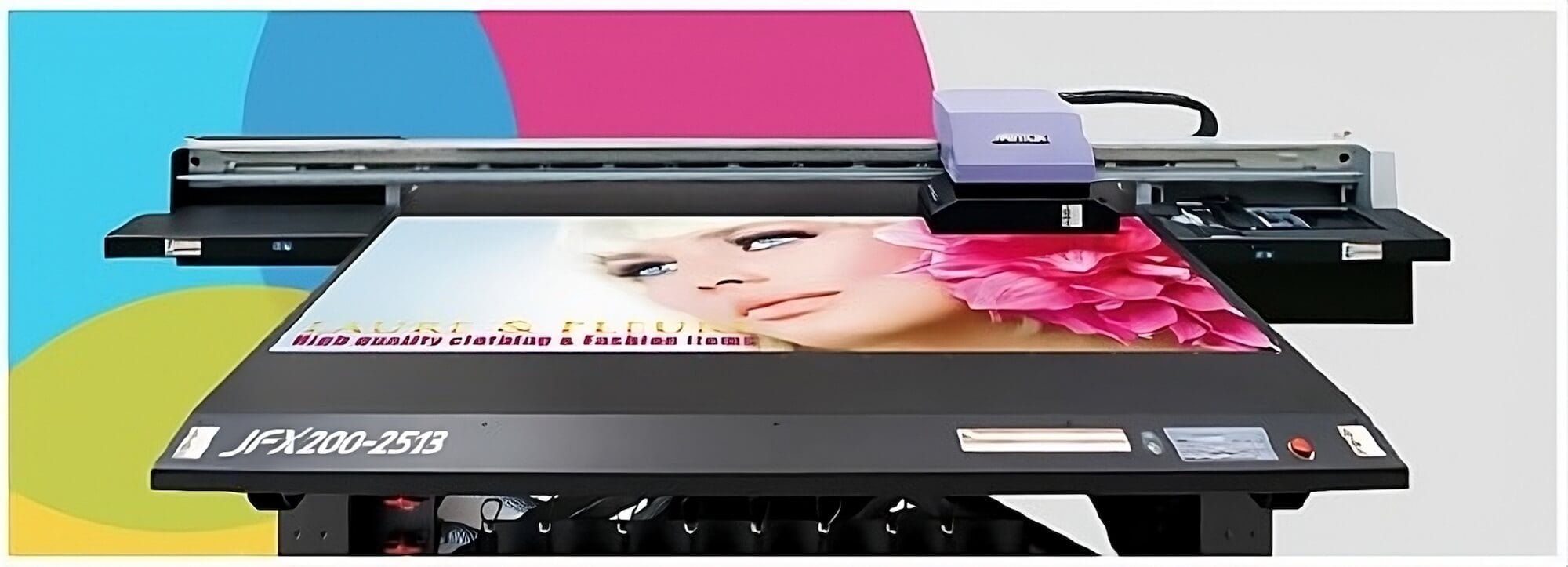
Taking solvent inks to the next level, some UV curable inks are also ideal for vinyl substrates as well as for some soft signage fabric, tradeshow and retail displays as well as backlit fabric. Thanks to immediate ink curing upon exposure to ultraviolet light – hence the name “UV curable” – this technology allows prints to be laminated immediately with no odor emitted from the job.
UV curable inks are often found in hybrid printers that are capable of printing on rigid substrates and roll goods. White and other specialty inks are also often available.
Printer Suggestion: Considered a baby-grand format printer, the Mimaki UJV55 is 128 inches wide (over 10 feet) and supports media up to 127.9 inches wide, or can print simultaneously on two rolls each up to 60 inches wide.
Latex
Latex inks are friendly to most substrates that are currently used with solvent, but there are higher operating costs with this technology. That’s because heat is required for the ink to cure on most substrates, which means high electricity costs from running the heaters.
Printer Suggestion: Mimaki JV400LX has the world’s first white latex ink and can be used for both indoor and outdoor applications.
Speed
Since setup and operational efficiencies can vary, the time between starting a print job and actually holding the finished product in your hands will differ from the time listed on the technical specifications for your printer. With that in mind, the two main questions you need to answer when it comes to speed are:
1. What is the overall production capacity?
If you need to print 40 vinyl banners every week but your printer can only produce 20 to 30, you’re likely to fall behind in production and lose out on a ton of orders.
2. How can it handle rush jobs?
There’s a lot of financial gain for individual rush jobs, so having equipment that can tackle them with ease can be well worth the investment.
If you’re looking for a machine that can handle a continuous flow of print jobs, you’ll want to pay close attention to the throughput speed. Also check if the printer’s RIP software is capable of concurrent processing, which is the ability to process new files while printing previous ones. This can help minimize down time since you won’t have to wait for a job to complete before beginning a new one.
Usability
Since wide format inkjet printers are digital, it’s likely that you’ll encounter touchscreen interfaces more frequently than traditional hard buttons. Make sure the interface and operation of the machine is easy to learn so you can avoid time-consuming functional hurdles that can affect production.
Besides the user interface, think about the logistics of actually operating and maintaining your wide format printer:
Will your prints be easily accessible? Make sure there is enough room for you to remove the prints from the machine without causing damage to the print, the machine or anything else in the area.
Will replacing heavy rolls be too strenuous for the operator? If there isn’t enough room or the machine is too complicated, this could be a demanding process.
Can the printer confidently run unattended? Some printers have special features designed to mitigate print issues while printing unattended. These features give the operator the confidence to perform other tasks, like loading other printers, cutting/trimming, etc. This could end up impacting your labor costs.
The wider the printed substrate, the trickier the manual labor will be. There’s a great difference between that 44-inch wide Epson and 10-foot wide Mimaki when you think about changing rolls or removing substrates. Make sure your personnel can handle the tasks, or go with a brand that has an easy take up system.
Space
Wide format printers are often considered 54 inches or more. For fine art or photo printing, anything 24 inches or wider can be classified as wide format since it’s unlikely that a photographer would need a 102-inch wide printer.
Depending on the size of your space, your printer can take up a lot of room when you factor in the machine itself and your employees working around it. Are you able to change rolls easily without bumping into a wall? Where do you plan on mounting, folding, grommeting or finishing the prints? You should also plan to keep any consumables – like ink and media – stored in close proximity to the printer for easy access.
Tip: Storing certain types of substrates is best done horizontally, not vertically.
If the printer is going to require ventilation, make sure your space is prepared or that you can at least make arrangements to implement a vent system. If you’re renting, you may need to discuss this with your landlord before following through with any decisions.
Take measurements of your space and try a test run-through to see how big of a machine will make the most sense for your operations.
Adaptability
Nothing would be worse than outgrowing your wide format printer before it’s even paid off. That’s why it’s key to have a clear idea of your company’s priorities and where there may be a potential for growth in the future.
Consider these thoughts: What are the business possibilities for the future? Could you start producing on different types of substrates or break into a whole new market? Or is it possible that your production capacity could increase? Put some thought into if it would be worth the investment to find a wide format printer that has higher capabilities than what you currently need.
If you are open to exploring higher end models that would support your company’s growth efforts, look into brands that allow for crossovers in the future. For example, Mimaki printers all use the same software and in many cases the same ink. So by staying with that brand you will avoid having to invest in different consumables down the line. Plus, your staff will be confident in the consistent operation and maintenance.
Environmental Impact
Depending on the ink technology, the environmental effects of your printing processes will vary. For example, since aqueous ink is water-based, it has less of an environmental impact than solvent ink. Also how you buy the ink can be an environmental factor. If you have high production volumes, it will make sense to purchase bulk ink containers as opposed to buying and throwing away small ink cartridges every other day.
It can also help you in the long-run to explore what the running costs of your wide format printer will be. Some brands and models may call for more up-time or an air conditioning unit for cooling, which means higher energy costs and more money spent on utility bills.
A wide format inkjet printer will be a significant investment for your company, and you deserve to feel like you’re making the absolute right decision. Throughout your search, don’t hesitate to ask for product samples, demonstrations or references for each of the brands and models you’re considering. And don’t forget to look into the reseller too! They will be your partner throughout your ownership of the printer and you’ll want to make sure they will be there for you when it comes to training, support, servicing and more.
Have questions on where to get started in your wide format inkjet printer search? Or, want our expert opinion on a specific brand or model? Feel free to reach out to our team! We’re always happy to help ensure you make the right investment.
OR