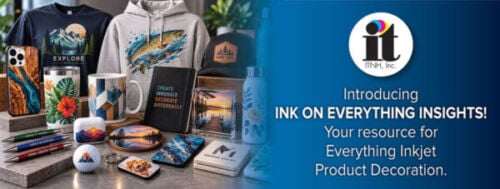

Welcome to the wide world of laser engraving machines! Once seen as a tool for mainly industrial applications, laser engravers are now booming among small and medium-sized businesses, DIYers and hobbyists thanks to a growing demand for more personalized, customized products.
But everyone has to start somewhere, which is why we’ve put together our picks for the top 5 laser engraving machines. Read on to see our recommendations, as well as a quick overview of how the machines work and the many ways they can be profitable.
Uses for Laser Engraving Machines
A Quick Overview of How Laser Engravers Work
The Top 5 Laser Engraving Machines
Laser Engraver Comparison Chart
The Many Lucrative Uses for Laser Engraving Machines
With a laser engraving machine, you have the ability to cut, mark and decorate a limitless range of materials and products. From ADA signage and keychains, to foam packaging and wedding invitations, bringing a laser engraving machine in-house can be a lucrative business move.
It truly is a wide world when it comes to engraving, since there is a long list of items that can be customized via lasers. Some of the most popular materials you can customize include:
- Metal
- Wood
- Hardstock
- Glass
- Textiles
- Acrylic
- Foam
- Stone
- Plastic
- Film
Note: Laser engraving machines can be used on pretty much any material except PVC, since it creates toxic gas. Be safe and keep PVC out of your engraving area.
Cutting
Looking to create a plaque in the shape of a football? Laser engraving machines can be used to cut precise, specific shapes out of sheets of materials including everything from acrylics to fabrics. The preciseness of laser cutting means you’ll have a clean-cut, polished-edge for every final product.
Marking
Laser engravers can be used to mark metal, stainless steel, plastic and other materials. This is a handy technique for adding serial numbers, identification information and dates to products like cell phones, rings, trophies and more. The possibilities are truly endless!
Decorating
You can also add images, words and designs to nearly any material. Customized family name plates, personalized mailboxes and engraved awards are only a small fraction of the decorating capabilities of a laser engraving machine.
Printing
In the product decoration market, inkjet printing and engraving are like peanut butter and jelly — they are both great on their own but are even better when put together.
Laser engravers are equipped with built-in print and cut software, so you can create a cutout from nearly any type of printed media with a registration file. With most models, there are cameras to automate the process, so it’s just as simple as printing with a digital inkjet printer.
A Brief Overview of How Laser Engraving Machines Work
Engraving isn’t exactly an everyday process for most people, so there’s usually a bit of a learning curve when getting started.
As you’re browsing through the various makes and models of equipment, you’ll notice specific terminology and features that require a bit of context. Below is an overview on how these machines work
Laser Technology
Lasers may play a role in your favorite science fiction film, but they also have an undeniable presence in our daily lives here on Earth.
For product decorating purposes, the heat of laser beams is used to cut into a specific part of a material to create a cavity that is visually and physically noticeable. When it comes to engraving machines, there are several different types of lasers, with CO2 and fiber being the most widely used.
CO2 (Carbon Dioxide) Lasers
CO2 systems are composed of gas that is stimulated electronically to create lasers. Machines that use CO2 create superior beam quality and work well with a long list of materials.
Primarily used on: Wood, glass, paper, textiles, plastic, acrylic, films, foils, leather and stone.
Fiber Lasers
These solid-state machines use fiber optic cables to amplify light through a very small focal diameter.
Primarily used on: Metal and plastic.
As you’ll see on our list below, laser engravers can be solely CO2 or fiber, or they can be hybrid.
Wattage
A laser engraver’s power is measured in watts. Every machine will have a different range, with entry-level CO2 machines starting at 25W and going up to as high as 150W.
Higher wattage typically cuts deeper in a single pass and can engrave quicker on certain materials. However, lower power machines are still able to process the same materials with the same quality.
The wattage you need will depend on your application. Signage shops looking to cut through 1” acrylics to make lobby or ADA signage may opt for a machine with 150W, while industrial part marking may only require 40 to 60W.
Z Clearance
The distance between the engraver’s lens and the work surface of the table is called the Z clearance (or Z axis). Some models have a fixed Z clearance that allows for minimal adjustments while others have more flexibility.
For an example, the Gravotech LS900 has 9.8” of Z clearance, so you can lower the table down 9.8” to customize something that may be a bit bulky — like a jewelry box.
Noise
A common misconception is that laser engraving machines are loud, but the noise level shouldn’t be a concern for warehouses or even office settings.
When idle, most machines are about 55 decibels and can jump up to 75 decibels when running. To put this in perspective, normal conversation is typically around 60 decibels, so your environment shouldn’t be affected by the addition of an engraver.
The Top 5 Laser Engraving Machines
Our picks for the top laser engraving machines includes both entry-level and high-production models. Most brands, like Gravotech, offer a range of equipment levels to fit a variety of needs.
In no particular order, here are our picks for the top laser engraving machines on the market:
- Gravotech LS900
- Epilog Zing 16
- Trotec Speedy 360
- GCC S400
- Universal VLS3.50
For a robust, high-quality laser engraver, look no further than Gravotech. As a large format CO2 model, the LS900 has a large working area (24” x 24”) and comes with multiple laser powers (40W, 60W and 80W), making it the go-to engraver for sign and graphics, personalization, identification and industrial markets.
This Gravotech model is popular for designing ADA signage and safety notices, personalizing gifts and customizing industrial materials. When it comes to longevity, the CO2 laser source can last up to 15,000 hours, while a sealed metal source can run for up to 40,000 hours. This model also comes with a two-year base warranty.
Epilog’s Zing 16 uses a CO2 power source for engraving and cutting. The Zing 16 is considered Epilog’s entry-level model, but it still features high-end components and optimal engraving quality. As a small format laser system, it’s compact and suitable for desktops and small office environments.
The Zing 16 is ideal for woodworking, signage, promotional items and acrylic cutting.
Available with 40 to 120W of CO2 laser power and 12 to 50W of fiber laser power, the Speedy 360 is an upper-mid-range model with two different power sources inside of one machine. Depending on the application, the laser sources can be activated alternately without an operator having to change the laser tube, lens or focus.
The Speedy 360 is relied on to engrave data plates, personalize awards and trophies, engrave photos onto acrylic materials and customize jewelry. The lifespan of the machine will depend on the materials you’re working with, but you can typically expect it to last between 7 to 10 years.
GCC’s S400 is a mid-range machine with a Z clearance of up to 11” and a large working area. This model is known for its user-friendly touchscreen interface, dust protection technology and easy access design for simple maintenance.
Popular uses for the S400 include 3D engraving on wood, anodized aluminum decorations and leather and metal customizations.
This Universal model is a compact, entry-level system available in laser powers between 10 and 50W. You can use the platform to cut, engrave and mark in just three easy steps with the intuitive, easy-to-use design.
Stylistically, the VLS3.50 is desktop-sized, making it ideal for smaller environments. Its most often used in light industrial and educational applications.
Laser Engraver Comparison Chart
| Model: | Gravotech LS900 | Epilog Zing 16 | Trotec Speedy 360 | GCC S400 | Universal VLS3.50 |
| Market Price | $18,000+ | ~$8,000 | ~$26,000 | $24,000+ | ~$8,000 |
| Laser Print Source | CO2 | CO2 | CO2/Fiber | CO2/Fiber | CO2 |
| Laser Power | 40/60/80W | 30/40W | 40 - 120W (CO2) 12 - 50W (Fiber) | 30/40W, 60 - 100W (CO2) 20 - 60W (Fiber) | 10 - 50W |
| Engraving Area | 24” x 24” | 16” x 12” | 32” x 20” | 40” x 24” | 24” x 12” |
| Z Clearance | 9.8" | 4.5" | 7.4" | 11" | 9" |
| Weight | 375 lbs. | 96 lbs. | 518 - 551 lbs. | 573 lbs. - 595 lbs. | 95 lbs |
Please note: All pricing is subject to change.
Additional Considerations
As with any new tool or piece of equipment, you need to know how your environment may be affected. Here are a few laser-specific considerations to keep in mind.
Cooling
Lasers can get incredibly hot, so make sure the model you have in mind has a cooling system.
Dust
Depending on the type of material you’re working with, laser engravers can leave behind a bit of a mess. Having an exhaust system will help you keep your air clean.
Power
A laser engraving system can require a lot of power to operate, especially if you’re using it frequently. Make sure you’re prepared for the effect it may have on your utilities.
Have any questions about laser engraving? Contact ITNH and we’ll be happy to provide answers and product recommendations.